Tools built for Heavy Check teams.
Keep everyone on the same page as checks progress — so whoever starts a rotation can get up to speed in minutes, not hours.
Available modules
Available now
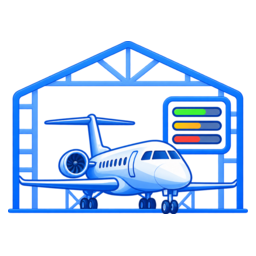
Heavy Check Dashboard
Every aircraft in check at a glance, the team feed, CANN tracking and turnover reports
- Live dashboard of every aircraft in check at your station, sorted by ETR urgency
- Shared team Feed so whoever starts a rotation can get caught up in minutes
- Private notes, private shift weeks, and a clean PDF turnover report
- CANN tracking, aircraft history archive, and Rep-to-Rep chat
Available now
Pick-Up Sheet
Write-ups, taskcards and CANN requests for the vendor, ready to send
- A Pick-Up Sheet for every aircraft in check, created automatically
- Rep walks, Comply With Taskcard, CANN requests and work requests in a few taps
- Add the NRWC # when the vendor sends it; cancel lines with a strike-through
- Download the sheet in the vendor’s own Excel layout at any time
Available now

Aircraft Info Sheet
The aircraft’s info sheet, filled in from the induction and ready to print
- Tail, N-number, serial, check, Day 1 of N, start and ETR filled in from the induction
- Flight #, times and cycles, last C1, engine and IDG serials in one pop-up
- Your airline’s FCF statement and part numbers pre-filled, editable per aircraft
- Download as a Word document to print, share and file
Available now
Post Dock
The end-of-check review, filled in during the check instead of from memory
- One review per aircraft, with the header filled in from the induction: check, spans and variance
- Tag a Team Feed note and it lands under the right heading, dated and timed
- ETR changes, CANNs and added taskcards suggested for you; FCF and release times in a tap
- Managers add the numbers, finalize, and download it in the airline’s own Excel layout
Available now
Materials
Every open CANN for Materials: PO, who’s supplying it, DDD and expected delivery
- Every open CANN at every station on one list, filtered by station
- PO #, fulfilled by the airline or the MRO, Drop Dead Date and Expected Delivery for each replacement part
- Late and at-risk parts called out: delivery after the DDD, DDD passed, no PO yet
- Parts CANN’d most, with stock requests and notes, downloaded as Excel for management
More modules for Heavy Check are in development.
Try it yourself — no sign-up
The demo is a fully working copy of AeroCoreHC for a made-up airline, Summit Coast Airways, with Airbus aircraft in check at three MRO stations. Click around as a rep or as the team admin.
Things to try
- The Dashboard: aircraft sorted by ETR, color-coded green, yellow or overdue
- Get Caught Up: everything the last rep shared, as if it’s your first day of a rotation
- Add a note, mark one private, and build a shift
- Download the PDF Turnover Report
- Check the CANN Report, the Archive, and Chat (you have unread messages)
- Switch to another MRO station from the sidebar
Demo logins
The sign-in page has one-tap buttons for both.
Heavy Check Reprep@summitcoast.example · TryAeroCoreHC!
Team Adminadmin@summitcoast.example · TryAeroCoreHC!
Open the demo
The demo resets every night. Please don’t enter real airline data.
Pricing
One annual license per airline — no per-seat math. Every plan includes your own private site and database.
Team
For a single Heavy Check team.
$4,800 / year
Billed annually
Up to 15 users · 3 MRO locations
- The Turnover Report — every feature
- Your own private site (yourcode.aerocorehc.com) with your airline’s logo
- Your own separate database — never shared with another airline
- Setup and a walkthrough for your team
- Email support and every Turnover Report update during your term
Network
For airlines running checks at several MROs.
$9,600 / year
Billed annually
Up to 40 users · 8 MRO locations
- The Turnover Report — every feature
- Your own private site (yourcode.aerocorehc.com) with your airline’s logo
- Your own separate database — never shared with another airline
- Setup and a walkthrough for your team
- Email support and every Turnover Report update during your term
Enterprise
For large or multiple teams, or single sign-on.
Let’s talk
Annual license, quoted for your team
Unlimited users and locations
- The Turnover Report — every feature
- Your own private site (yourcode.aerocorehc.com) with your airline’s logo
- Your own separate database — never shared with another airline
- Setup and a walkthrough for your team
- Email support and every Turnover Report update during your term
- Single sign-on with your airline’s login, set up with your IT team
- Priority support
After you buy, we set up your airline’s private site (yourcode.aerocorehc.com) and email your administrator login within 2 business days. Prices in US dollars; applicable taxes extra. Your license renews each year unless you cancel. By buying, you agree to the Terms of Service and Data Processing Agreement.
Pay by invoice, or get a quote
Need a purchase order, bank transfer, or a quote for Enterprise? Tell us a little about your team and we’ll send an invoice or quote within one business day.
Questions
Is our data kept separate from other airlines?
Yes. Each airline gets its own site address and its own database. Nothing is shared between airlines, and the public site never lists who our customers are.
Who can see what?
Your administrators create every login and choose which apps each person can use. Notes can be shared with the team or kept private, and shift weeks belong to the rep who built them.
Can we use our airline’s single sign-on?
On Enterprise, we set up single sign-on (SAML 2.0 or OpenID Connect) together with your IT team. Each airline’s connection is set up individually, so ask about timing when you request a quote.
How does billing work?
Annual licenses only. Pay by card online, or ask for an invoice and pay by purchase order or bank transfer. Your license renews each year unless you cancel before the renewal date.